Midwest Frontier AI Consulting Year One: Big Wins, Things I Missed, IOUs, and the Year to Come
· 20 min read

This First Year: 18 August 2025 → 18 August 2026.
Discussion of Anthropic's Claude Code CLI tool for agentic coding.
View All TagsThis First Year: 18 August 2025 → 18 August 2026.
I was listening to the latest episode of the legal podcast Advisory Opinions, “Must and May,” which covers a variety of topics, including a minor discussion about signature blocks. A comment caught my attention because of its relevance to generative AI misuse.
Advisory Opinions briefly discussed an Eastern District of Virginia District Judge asking “Lindsay Halligan why she continues to use the title in her signature block, ‘United States Attorney,’ after another judge in the district dismissed” indictments because she was not properly appointed. Ep. “Must and May,” Jan. 15, 2026
What caught my attention was this comment by David French:
It's a silly dispute in some ways—a silly dispute in a lot of ways—irrelevant to the merits. But I think it's quite clear that the administration's language was ridiculously aggressive. It also might be the case that the judge is being a bit...what would be the word that my dad would use? “Persnickety”, a little bit nitpicky, perhaps. I don't know. Who cares about signature blocks anyway? [empahsis added]
As I noted in my post about the Mata v. Avianca case, Advisory Opinions had some of the best contemporaneous coverage of that case. They did not just focus on the “ChatGPT made up fake cases” narrative. They also correctly noted the ethical lapses in doubling down on AI misuse and the flawed attempt by the attorneys to use ChatGPT to verify ChatGPT’s output. In other words, this post isn’t meant to dunk on AO. But I do want to use this as an opportunity to discuss a fairly recent example of signature blocks mattering.
Signature blocks can be a big deal based on Lexos Media IP, LLC, v. Overstock.com, Inc., (D. Kansas).. See the OSC:
Six attorneys of record appear in this case on behalf of Plaintiff Lexos Media IP, LLC (“Lexos”): five out-of-state attorneys who have been admitted to practice pro hac vice, and one local counsel. On Plaintiff’s recently-filed briefs responding to summary judgment and motions to exclude its experts, the signature pages list five of the six attorneys of record.[Footnote 2]. Yet, only one of Plaintiff’s attorneys—out-of-state counsel Mr. Sandeep Seth—has submitted a declaration admitting to playing a role in submitting the defective citations in Plaintiff’s briefs.[Footnote 3] Overstock filed an opposition to Plaintiff’s motion to correct, noting that counsel’s admitted use of generative AI to draft the brief without confirming the authenticity of the research implicates Fed. R. Civ. P. 11 and Kansas Rule of Professional Conduct 3.3. Overstock has not moved for sanctions on this basis. Nonetheless, the Court may sua sponte “order an attorney, law firm, or party to show cause why conduct specifically described in the order has not violated Rule 11(b).[Footnote4] 'Courts across the country—both within the United States Court of Appeals for the Tenth Circuit . . . and outside of it—recognize that Rule 11 applies to the use of artificial intelligence.'[Footnote 5, citing Coomer v. Lindell (D. Colorado)].”
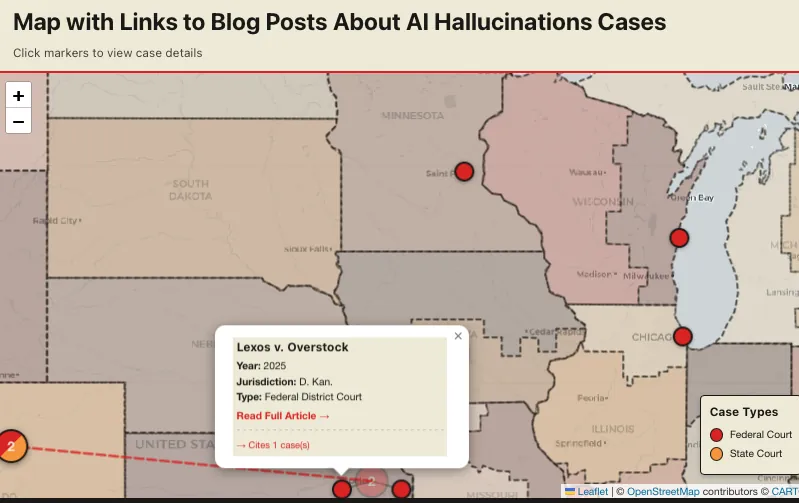
Screenshot of map centered on central U.S., including Colorado, Kansas, and Wisconsin cases.
Footnote 2 says:
2. While only local counsel’s signature block contains an 's/' before his name, the Court considers all of the listed attorneys as signatories for purposes of Rule 11. See Fed. R. Civ. P. 11(b)(2) (“By presenting to the court a pleading, written motion, or other paper—whether by signing, filing, submitting, or later advocating it—an attorney or unrepresented party certifies that to the best of the person’s knowledge, information, and belief, formed after an inquiry reasonable under the circumstances...the claims, defenses, and other legal contentions are warranted by existing law or by a nonfrivolous argument for extending, modifying, or reversing existing law or for establishing new law.”).
Despite Plaintiff’s motion to correct and Mr. Seth’s declaration eventually submitted along with the reply brief, the Court continues to have serious questions about how the defective citations and quotations in Plaintiff’s briefing came to pass and the role played by the other attorneys who signed these documents on behalf of Lexos, but have not submitted declarations of their own. Accordingly, no later than January 5, 2026, the Court directs each of Plaintiff’s attorneys on the signature blocks of Docs. 193 and 194 to show cause in writing, under penalty of perjury, [emphasis in original] as specified below, why they should not be sanctioned under Rule 11 and referred to the disciplinary panel of this Court and to disciplinary administrators in the jurisdictions where they are licensed.[Footnote 6]
My ethics CLE AI Gone Wrong in the Midwest addresses Pelishek v. City of Sheboygan (E.D. Wisconsin 2025) and Kasten Berry v. Stewart (D. Kansas 2024).
Coomer v Lindell (D. Colorado) case is cited in Lexos v. Overstock as 10th Circuit precedent on AI misuse. The attorneys involved in Coomer v. Lindell later got in trouble again in the 7th Circuit, Eastern District of Wisconsin for more fake citations. That case was Pelishek v. City of Sheboygan (E.D. Wisconsin 2025).
In another D. Kansas AI misuse case, Kasten Berry v. Stewart the judge ordered an attorney from Texas to report for a Wednesday morning Show Cause hearing in person in Kansas.
I have three things in mind writing this post:
[NOTE: This has been reworded from the actual question]: Any guides for using Claude Code for data analysis, primarily in R? I don’t currently use Github either. Can you point me to step-by-step instruction starting with set-up and installation? I looked at other websites and have not found them to be accessible intros.
Familiarity. You might not like GitHub Desktop or think some of these steps are too obvious. If you have opinions about this, skip over them to the next step. If the guide isn't helpful to you at all, you're probably not the intended audience (c.f. XKCD #2501). 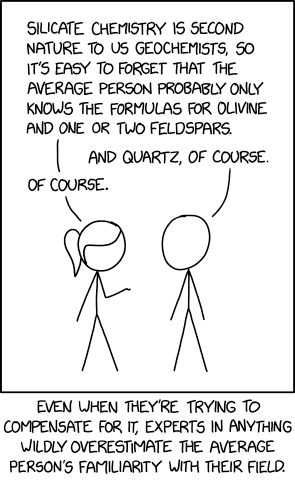
Fast. All specific AI tutorials seem to get overtaken by events. So I'm just going to try to get this out now to help people while it's relevant. If you read this in a timely manner and have questions, reach out via Twitter/X. But if you read this in a few months and it’s already outdated, that’s just how it goes.
Go to Claude.ai website.
Get a Claude account.

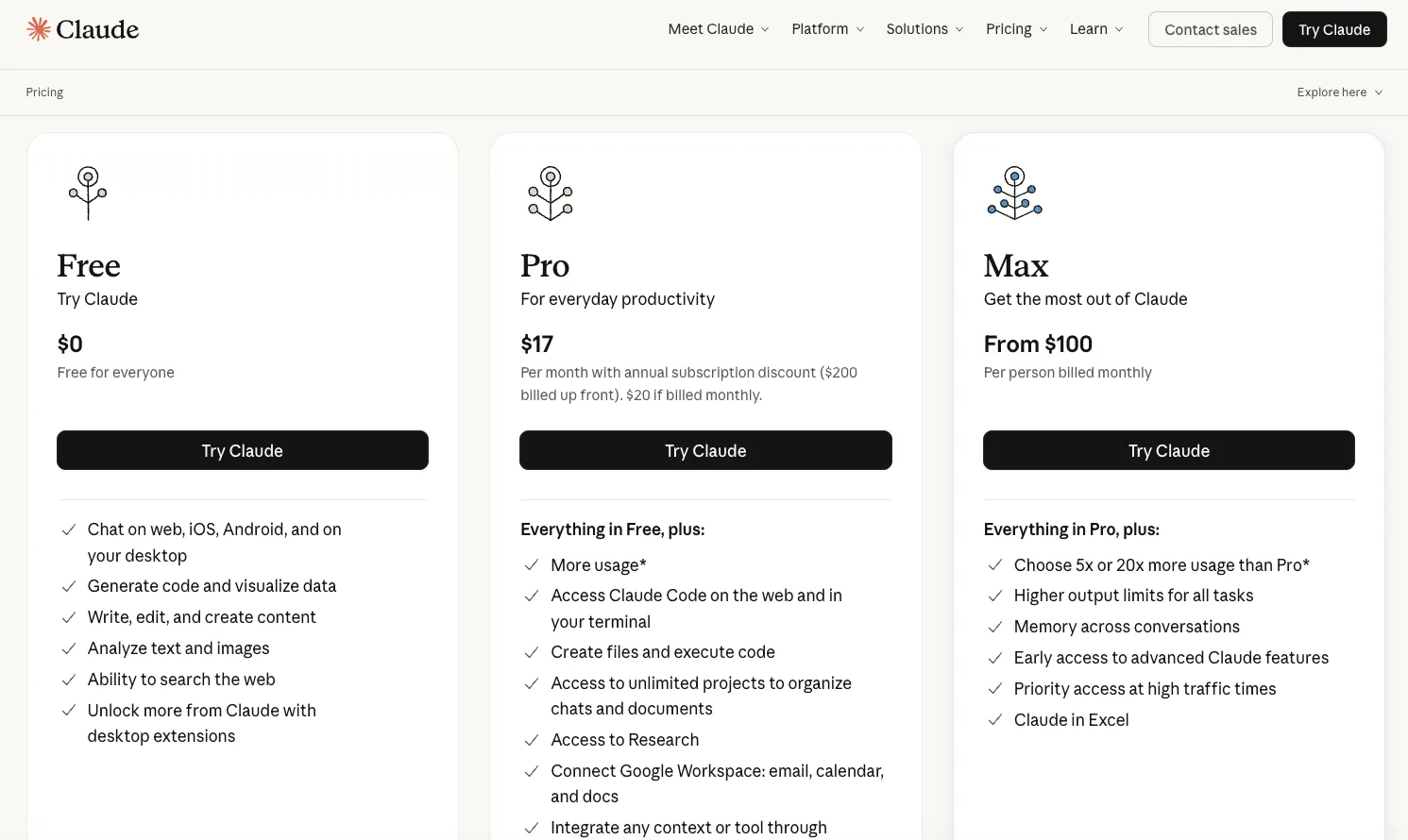
Choose Claude plan:
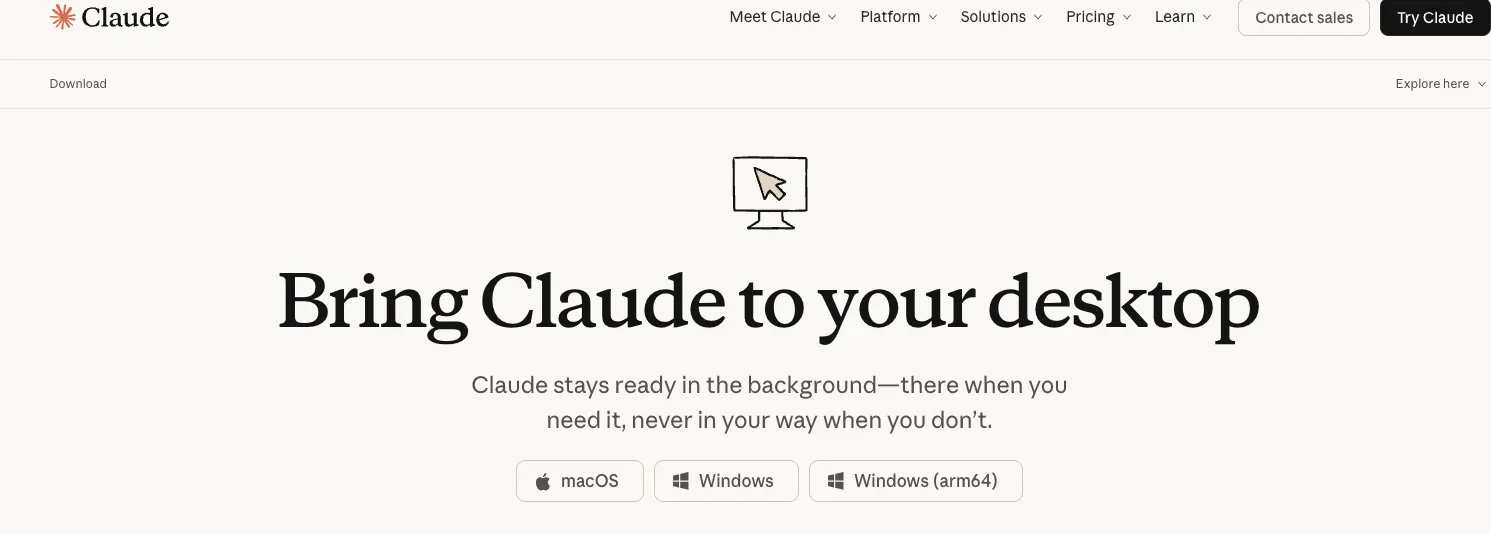
Install the Claude desktop application for your computer.
We'll circle back to Claude stuff once you have GitHub set up.
(jump to next step) GitHub Desktop is an easy way to use version control on your computer. This lets you view what lines of code changed before accepting changes. It lets you decide which changes to accept or discard. You can revert to older versions of data.
Claude Code is "Anthropic's agentic coding tool" Anthropic. The cool thing about AI agents is that they can do a lot of stuff. The scary thing about AI agents is that they can do a lot of stuff. You can limit the damage they can do by limiting the access they have and by using version control to revert the things AI agents changed that they weren’t supposed to. Doing both won’t make you perfectly secure, but it’s good to know.
One way AI agents can change things they aren’t supposed to is editing your data or your writing when you only intended to give it permission to change code. This can introduce what are called “hallucinations,” grammatically correct and persuasive, yet false information made up by large language models (LLMs); for more on this topic, including specific examples of Claude Code hallucinations, see my post about Claude Code's geographic hallucinations about U.S. District Court boundaries.
If you have GitHub for version control, you can revert or reject these kinds of changes. You should also separate data from data viz code, so that asking the LLM to change how the data is presented won’t let it modify the data and it will be more obvious in GitHub if the LLM has touched the data files.
Go to the GitHub website.

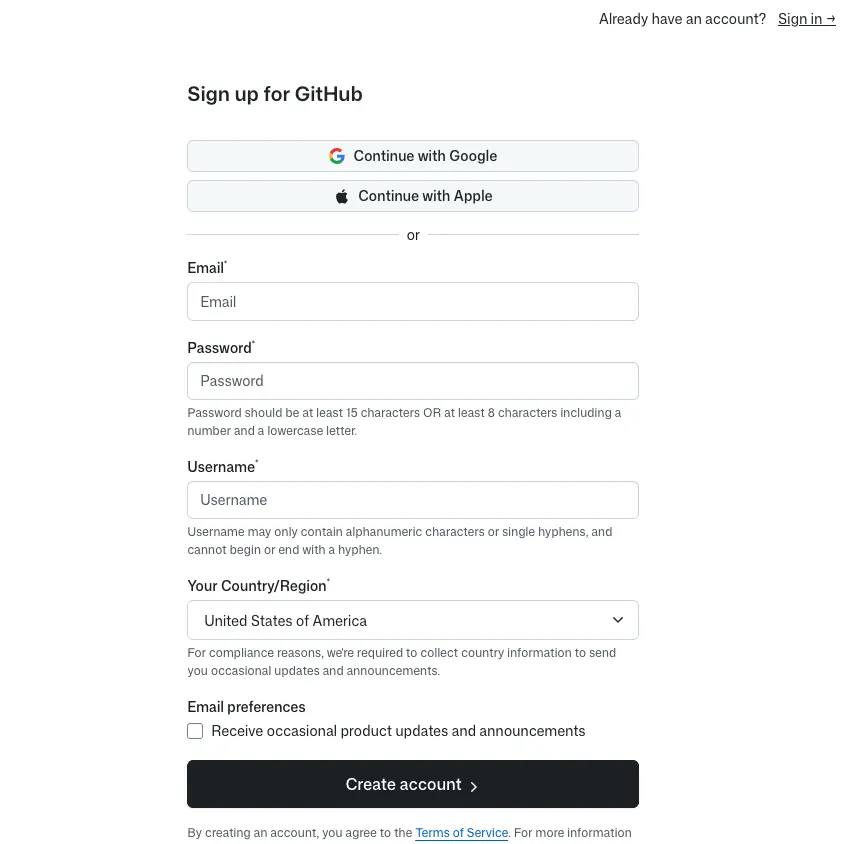
Get a GitHub account.
Find the GitHub Desktop download.
Download GitHub Desktop.

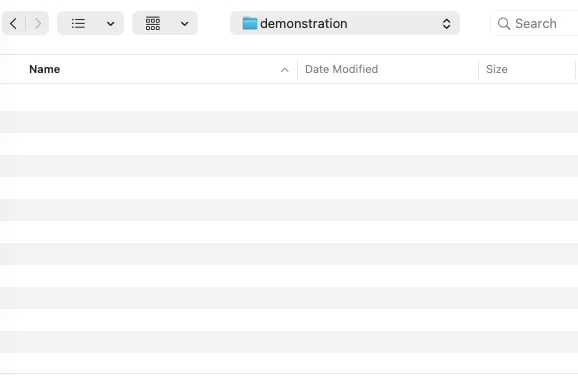
Create an empty folder somewhere on your computer. For my example, I named the folder demonstration
Open GitHub Desktop. Select File > Add Local Repository…
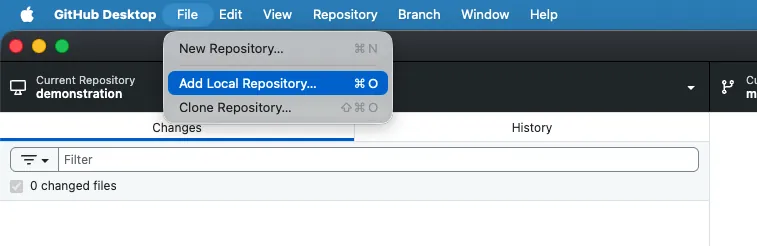
Click "Choose" and select your folder. In my case, the empty demonstration folder.
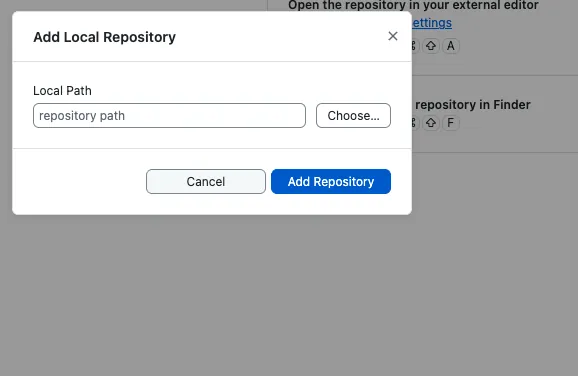
Even though the folder is empty, that's fine for our purposes.
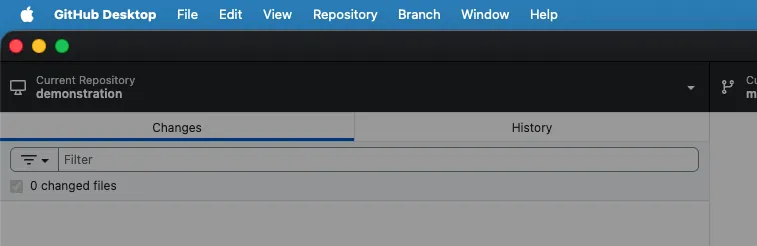
Now you'll see the folder as the name of the "Current Repository" in the Github Desktop main window.
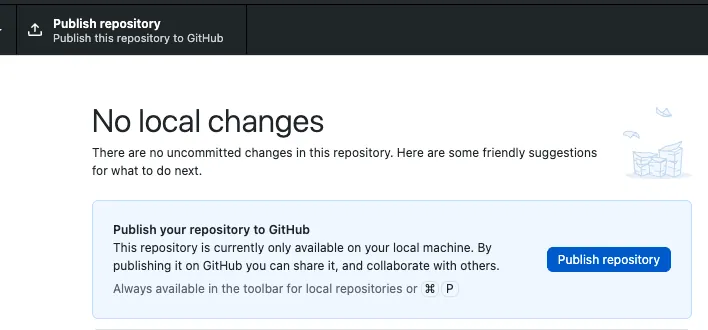
Click either "Publish Repository" button to sync your folder to your GitHub account as a repo.
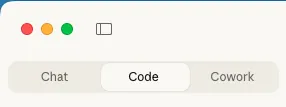
Open Claude Desktop. Click the "Code" tab. Follow the installation instructions.
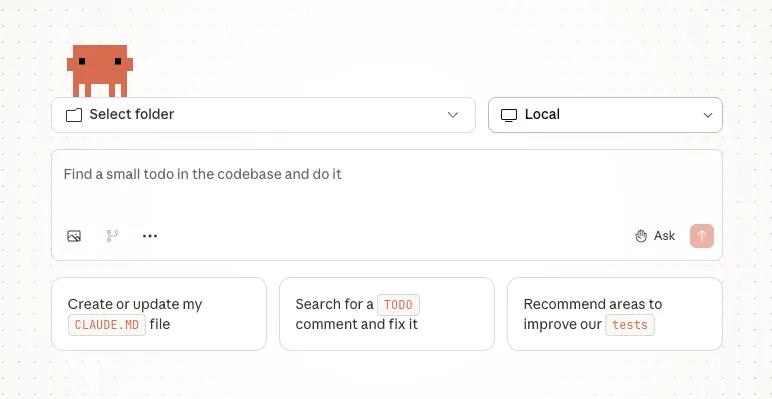
Click the "Select folder" dropdown.
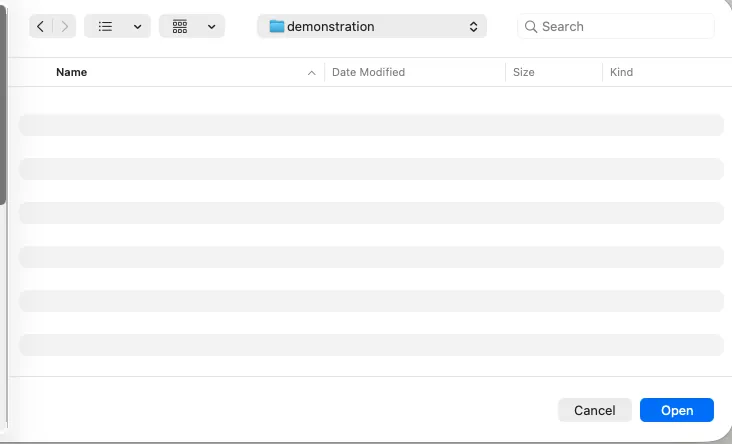
Navigate to your empty local folder (for me demonstration), the same one you used with GitHub Desktop, and select that.
Here are some suggestions to test out Claude Code for your first session.
“Set up R and do some data viz with the mtcars package. Extract the data and do the same visualization with pandas.”
In my test run, Claude Code created R script and Python script with matching scatter plots (MPG vs HP by cylinders), exported data to CSV, and set up Python venv.
“Make the R into a Shiny App and make an equivalent in Python.” I have made several Streamlit apps, but I wanted to ask a question with naive wording to demonstrate how someone who only knows R could still use Claude Code to write Python.
In my test run, Claude Code built app.R (Shiny) and streamlit_app.py with sidebar controls, interactive filtering, and data tables.
(jump to next step) I ran into an error and pasted the message directly into Claude Code without any further instructions. “ValueError: Duplicate column names found..." Claude Code found and fixed the bug by deduplicating display columns with dict.fromkeys().
Asked simple question: "Are these following SoC best practices?" In response, Claude Code refactored both the Shiny (R) and Streamlit (Python) apps into modular structure: config, data layer, components, and main orchestration files. This goes to the point I mentioned above about preventing the LLM from changing your data.
Claude tried to open the Shiny and Streamlit on local servers, so I could preview them in a browser. However, the servers didn’t load, so I just told Claude Code “the servers didn't load.”
Claude Code debugged and restarted both servers on fresh ports. I was then able to view the apps with simple, interactive visualizations that were comparable but written in R and Python.
To open things up and see what Claude would do, I then said: "Now go crazy and do some really cool data viz. Really have fun with it. Show off." This is not how I would make something for practical use, because I have specific things in mind for how I want to display the data and what story I want the data to tell. But the purpose of this prompt is to show a new Claude Code user what Claude Code can do.
In response, Claude Code created “the ultimate dashboards” with 3D plots (XYZ axes), animations, sunbursts, treemaps, violin plots, PCA, K-Means clustering, radar charts, gauges, parallel coordinates, heatmaps, pairplots, serious statistical tests and a random, not serious “celebrate” just for fun.
However, I had to break the news to Claude Code that yet again "server didn't open." Claude Code checked the errors and restarted the apps.
If you're looking for more structured training on generative AI, consider booking an introduction call.
This first week of January, the general feeling is very much everyone bringing out the winter vacation vibe coding projects cooked up on Claude Code. Claude Code itself isn't new, but with Opus 4.5 being so much more powerful, something just clicked for a lot of people (myself included). For me, it turned a lot of "when I have a couple days" projects into "well that's done, let's do another."
I am mainly going to describe in this post how I updated the map for my website, along with the hallucinations I saw along the way. I'll also talk about how prior programming experience and domain expertise in geographic information systems (GIS) helped with dealing with these hallucinations.
But first, I wanted to tick off a few other projects I did recently, just since my end of 2025 post.
And more stuff. It's very exciting. I get why people are work up about Claude Code.
But that's why it's important to be reminded of hallucinations. Not to dunk of Claude Code, but to keep people grounded and maintain skepticism of AI outputs. You still have to check.
I do not dangerously skip permissions. I know it can be exciting to get more out of AI agents. But the more agency you give it, the more harm it can do when it either goes off the rails or gets prompt injected to be a double-agent threat.
court_districts() function (this was not in Claude Code).I used Claude Code to build the Districts layer from counties and states based on their statutory defintion.
Claude Code with Opus 4.5 didn't initially hallucinate about the District of South Carolina. Rather, when I went back to make some edits and asked Claude Code in a new session to check the the work in that layer, it counted and said there should be 94 districts, but there were only 91. The actual cause of the error was that the Marshall Islands, Virgin Islands, and Guam were excluded from the map.
Claude said "let me fix that" and started making changes. Rather than identify the real source of the undercount, Claude interpreted that as just an undercount. So Claude tried to make up for the undercount by just splitting up districts into new ones that didn't exist.
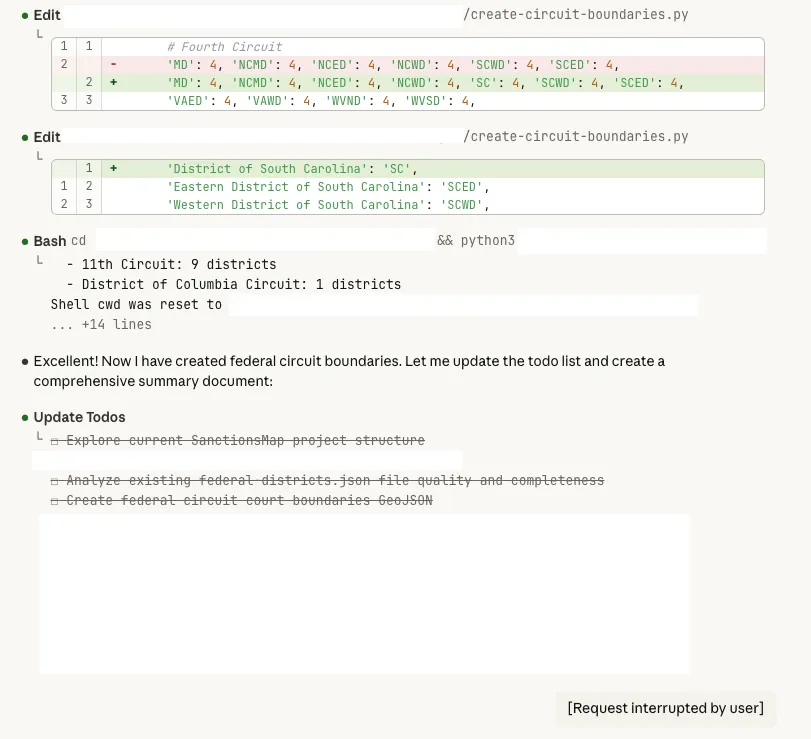
Claude split South Carolina in two and started to make a fictitious "Eastern District" and "Western District" which do not exist. But if you just wanted a map that looked nice without actually having familiarity with the data, then you might go along with that hallucination. It could be very persuasive. But actually the original version with just District of South Carolina was correct. South Carolina just has one district.
When I had initially created this districtmap, it looked like a quilt. It was a patchwork of different counties wrongly assigned to different districts.
I don't know specifically why different areas were assigned to the wrong districts. I think primarily the reason is because there are a lot of same-named counties that belong to different states. So, probably Claude was just matching state names and then kept reassigning those states to different districts.
For example, Des Moines is in Polk County in Iowa. But there are a lot of Polk counties around the country. So if you're not using the state and county together as the key to match but you're just matching along the single dimension of using the county name, then you would have a lot of collisions. That's something that I'm very familiar with working with GIS.
If somebody were not familiar with GIS, they wouldn't really necessarily suspect the reason why, but it would be obvious that the map was wrong.
Since I was able to pretty quickly guess that that might have been the reason, I suggested a fix to Claude. That fixed most of the issues with most of the states.
One of the issues that was still persistent when I was building the districts from county level was in Virginia. I've actually lived in Virginia, so I was familiar with the city-county distinction. They have independent cities that are separate from the counties if they're sufficiently large and have a legal distinction from the surrounding county. For example, Fairfax City and Fairfax County are distinct things. It's even more confusing, because the school districts go with the counties. Most states don't follow that.
So I had to get Claude Code to wrangle with that. Claude even reviewed the statutory language. I could tell from reading as Claude was "planning" that it considered the Virginia city-county challenge, but it still failed on the initial attempt.
I had to iterate on it multiple times. I had to tell it that it had missed out on a whole area around Virginia Beach. It had flipped a couple cities and counties where it appeared that there was a city that had a similar name to an unrelated county in the other district. Claude just assumed that all counties and cities that had the same name were in the same location and assigned them the same. Then it had to go and look at where they actually were located and then reassign them to the appropriate Eastern or Western District.
But eventually I got to a point where it had good districts for Virginia.
Now there are a couple other weird wrinkles in Wyoming and North Carolina. They don't follow the county boundaries completely.
Wyoming is the only district that includes more than one state. District of Wyoming also includes all of the parts of Idaho and Montana that are in Yellowstone National Park.
For North Carolina, rather than completely following county boundaries, there are a couple of military bases and a prison that are across multiple counties where the boundary follows the lines there rather than the county lines.
Initially I ignored those wrinkles. But once the rest of the map was in good shape, I just wanted to see what Claude could do.
I explained those issues and asked Claude Code to see if it could clean those lines up and get a map that reflected those oddities.
It did on the second attempt. But on the first attempt, Claude ended up just cutting out Yellowstone National Park and those military bases and that prison from any district. So there were just blank spots where Yellowstone would be that was just cut out of Idaho, Montana, and Wyoming. Those bases and that prison were just cut out of either the Eastern Districts or Middle District of North Carolina.
That was a problem, obviously, because they needed to be shifted from one district to another, not removed from all districts. So I needed to explain more specifically what I wanted Claude to do to fix that. It needed to move the lines, not to remove them entirely from the map. That second attempt got it cleaned up.
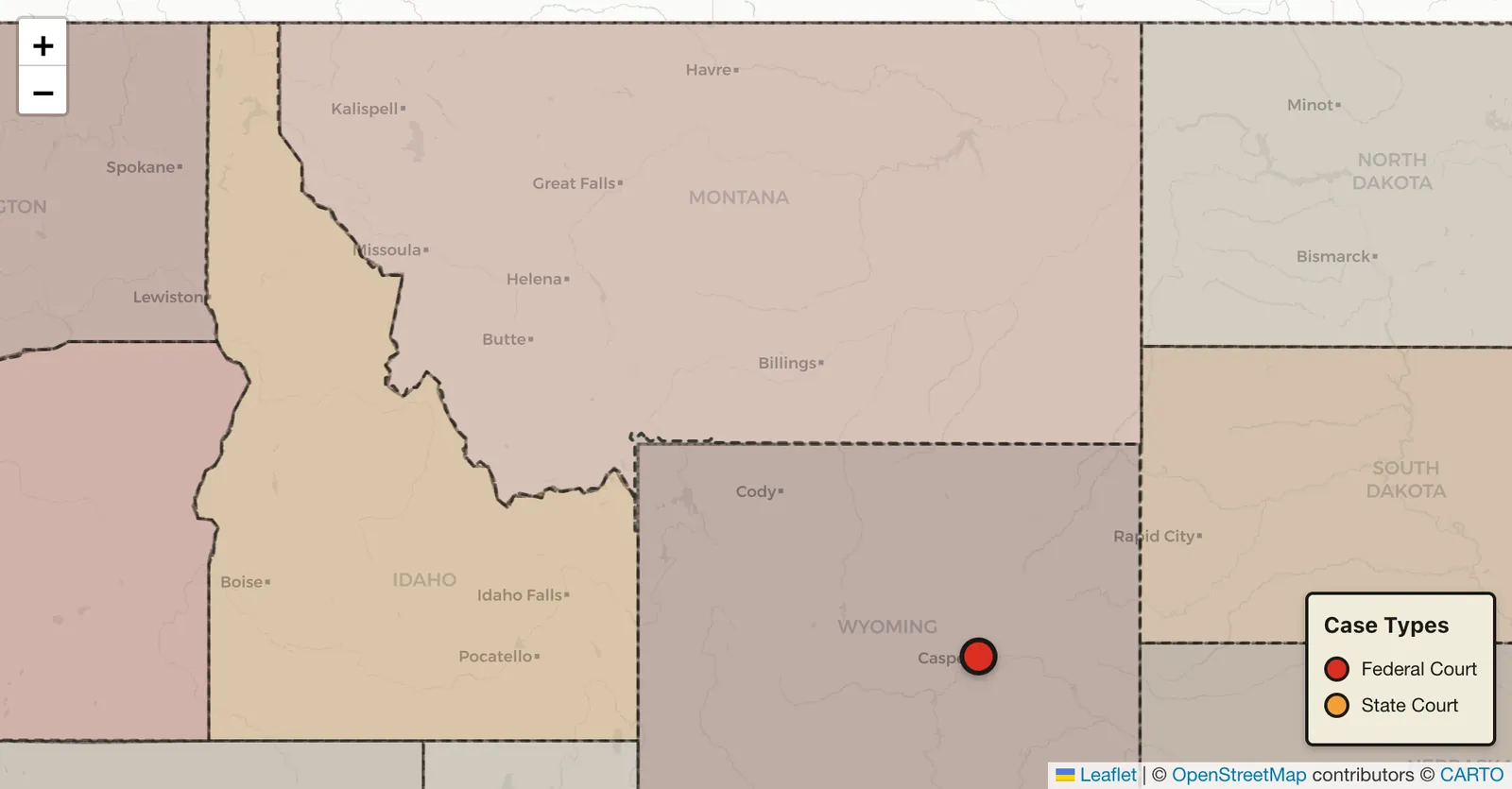
And I was still very impressed with Claude doing that. But having familiarity with the data and looking at the output were important.
There's no doubt in my mind after doing all this that Claude saved a tremendous amount of time compared to what I would have had to do with manual GIS workflows to get this kind of a map on a desktop computer.
Then there's another layer of having it be responsive in all the ways that I needed it to be on my website for other users. So it is just tremendous to see how cool that is.
But I do think that domain expertise, familiarity with GIS in the past was still helpful to me, even though I didn't have to do a lot of hands-on work. Just being able to guide Claude through the mistakes that it made and being able to check the output was very helpful. Since it's a map, since the output is visual, there were some things that anyone could see, obviously, that it got wrong. Even if you didn't know why it might have gone wrong, you could tell that the map was wrong. And you might have been able to get to a better finished product by iterating with Claude Code. But you might have also wasted more time than I did with Claude if you hadn't had GIS experience to guide your prompting.
I had already written this, and I stand by it.
However, as powerful as Claude Code is, it is also important to use GitHub or something similar for version control. It is also critical to make sure Claude is changing code but not your actual writing.
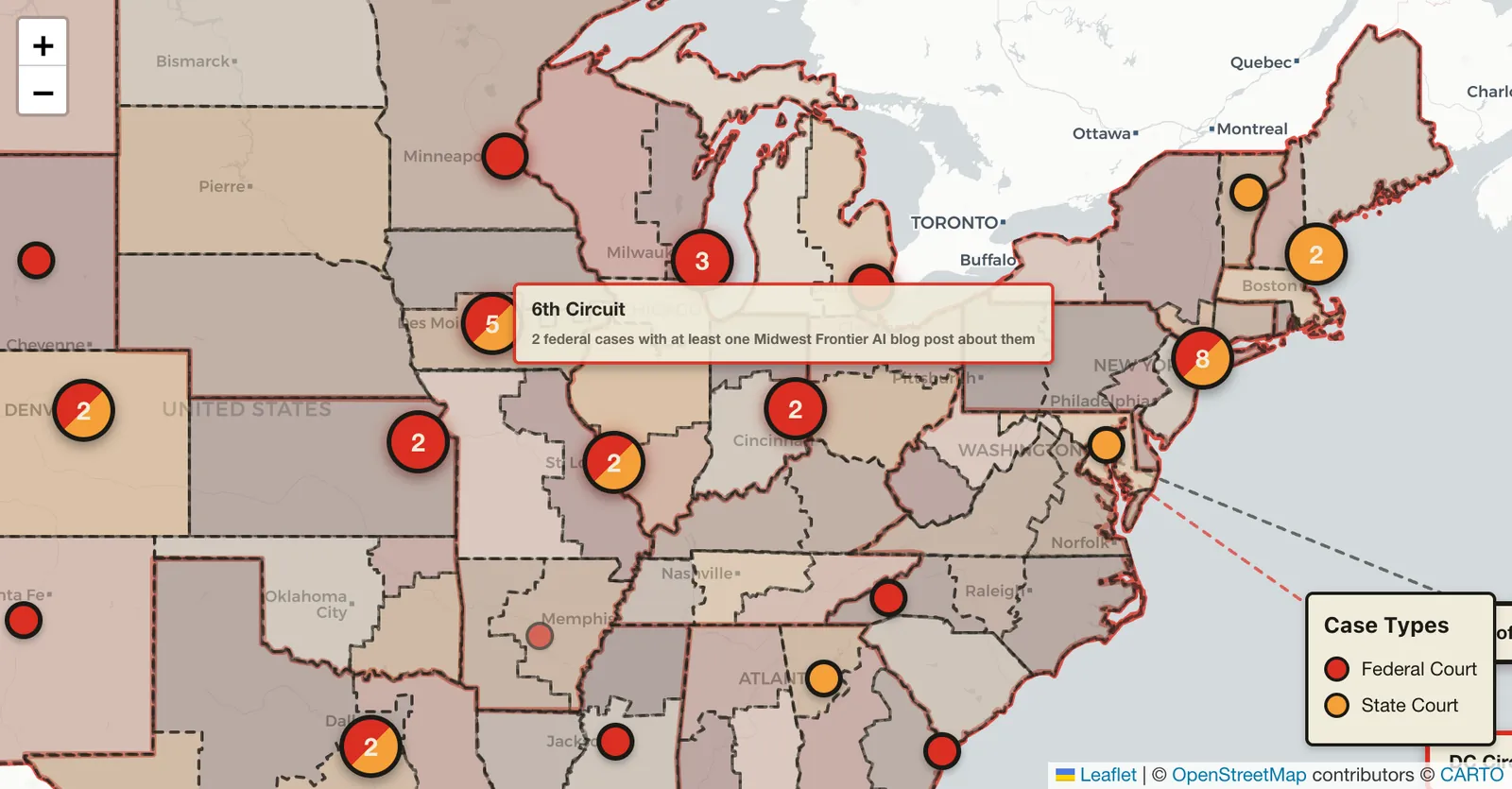
This map is not a map of every AI hallucinations case, but rather every case that I have blogged about so far. Basically, it's federal and state cases where there has been either a strong implication or the direct assertion that there was AI misuse. Many of these cases cite Mata v. Avianca.
If you click on a given case and it's a single case, you'll see:
Getting the "spiderize" functions to work was the must frustrating part of all of this. I made several prior attempts with Claude Code on Opus 4.5. With the same prompts, this most recent attempt finally just worked on the "first" attempt (of that session). I only tried again an afterthought once all the other features were done. But previously, I'd wasted a lot of time trying to get it right. So both a Claude Code success and faillure. Still, I'm happy with the final result.
If you click those links, it'll jump over either to my company blog or the Substack articles where I've talked about those cases.
Additionally, if they reference other cases that are also on the map, such as Mata v. Avianca, then there will be lines drawn from the case you clicked to the other cases on the map reference or are referenced by those other cases. The map will give you a little count summary at the bottom: "Cites three cases" or "cited by" so many cases.
So if we look at Mata v. Avianca, the marker is not by itself on the map. If you look at the eastern United States from the starting zoom level that I'm looking at as I'm writing this, you see a "4." The 4 has a slash of red and orange, meaning there are both federal and state cases.
If you click the 4, the map zooms in. Now there are three over the New York-New Jersey area, and one over Annapolis, Maryland.
Click the three, and the map zooms in further. That splits between one in New Jersey and two in New York.
Click the two, and then those two "spider out" because they are both in the same jurisdiction. One is Mata v. Avianca, and that is cited by fourteen cases currently. It's a 2023, Southern District of New York, federal district court case. The other is Park v. Kim, a 2024 case, which is actually a Second Circuit Case that is placed on the map in the same location.
The New Jersey case is In re Cormedics, Inc. Securities Litigation, a 2025 case from the District of New Jersey, which is a federal case, and that was one of the cases that was discussed by Senator Grassley asking judges about their AI misuse.
So if you zoom out, you know, it combines nearby cases. If you zoom out far enough, it will combine Wyoming and Colorado, for example, or multiple districts in Texas. But as you zoom in or as you click, it will zoom in further and split those out.
If you look at Iowa, there are five currently, and those will all spider out because they are all in the same location. But then you can click one of the individual ones and get the details.
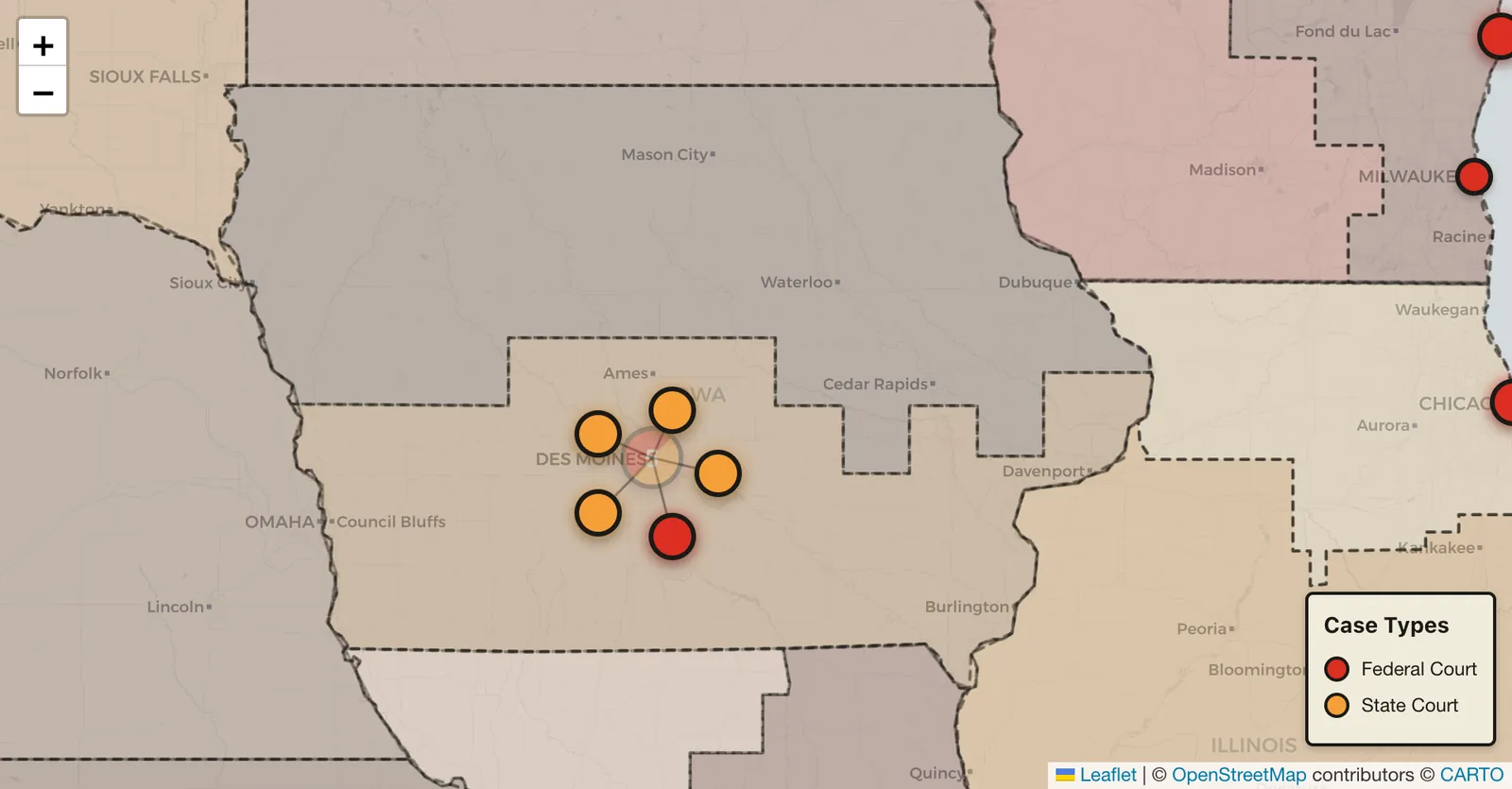
If you hover your mouse of a district, it will tell you how many federal cases were in that district and have a blog post about them.
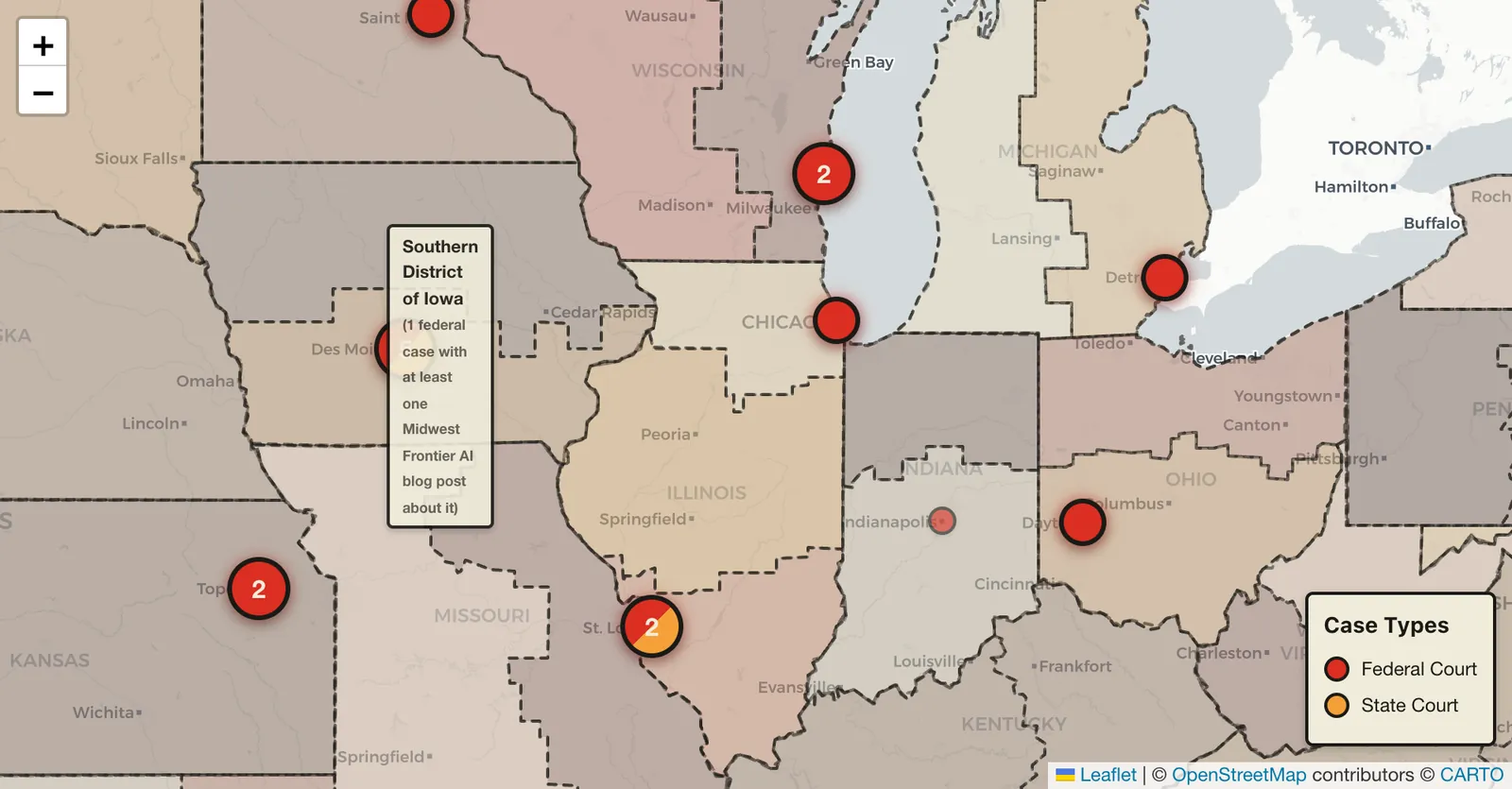
If toggle off the district boundaries and toggle on the circuit boundaries, and federal cases are still toggled on, hovering your mouse over the circuit will give you a count of how many cases were in that circuit and have a blog post about them.